A signal combiner links sensor information within a tooling control arrangement. It is not automatically a safety controller or a substitute for a verified wiring diagram. Confirm the exact board, sensor types and machine inputs before integrating a replacement into robot tooling.
1. Define the intended signal behavior
List each sensor, what it detects and the controller condition it supports. Explain whether the required output means all devices satisfied, any device satisfied or another defined sequence.
Do not infer this behavior from the number of channels or the phrase signal combiner. Request the exact functional description and approved wiring for the selected model.
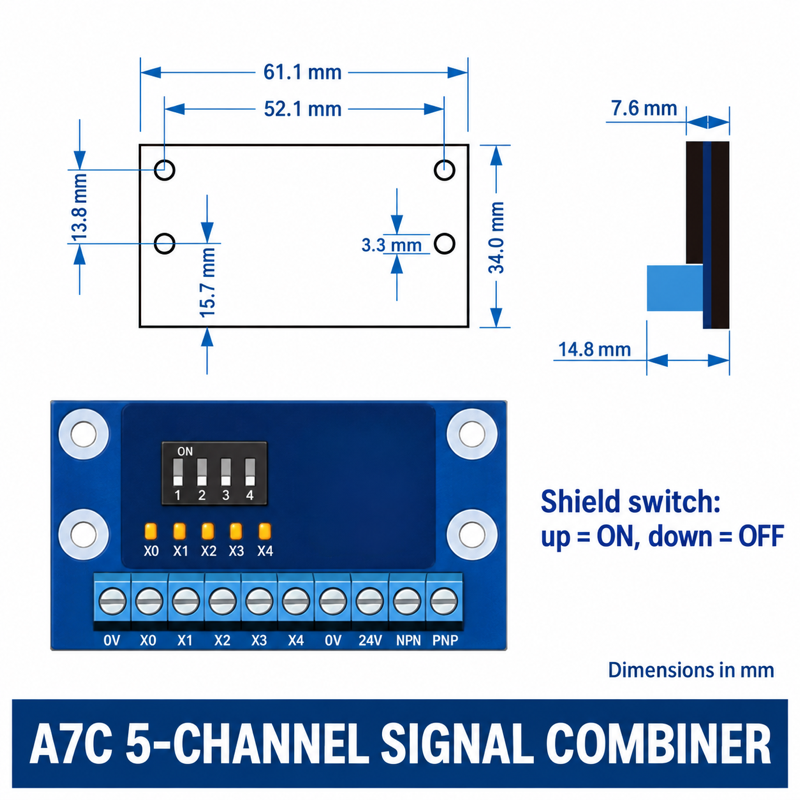
2. Confirm electrical interfaces
Ask for supply voltage, sensor compatibility, input and output type, connector or terminal assignment, current limits and grounding requirements. These values are not established by a catalogue photograph.
Keep PNP/NPN, normally open/closed behavior and controller input expectations explicit. A physically matching terminal arrangement does not prove that two boards can be swapped.
3. Read channel and switch information carefully
The linked A7C/XF catalogue includes different channel configurations and illustrated switches. Match the complete model and obtain its instructions before changing a switch position or bridging an unused input.
Record the accepted configuration. An undocumented bypass may make an output appear satisfied while a sensor is no longer contributing to the intended tool check.
4. Keep safety functions separate
Do not present a general signal board as a certified safety device without the relevant evidence and approved design. Preserve the machine's existing safety system and have wiring changes reviewed by the responsible qualified person.
Isolate power before installation. Do not trial unfamiliar connections on a running machine or assume that a low-voltage label eliminates all hazards from connected motion.
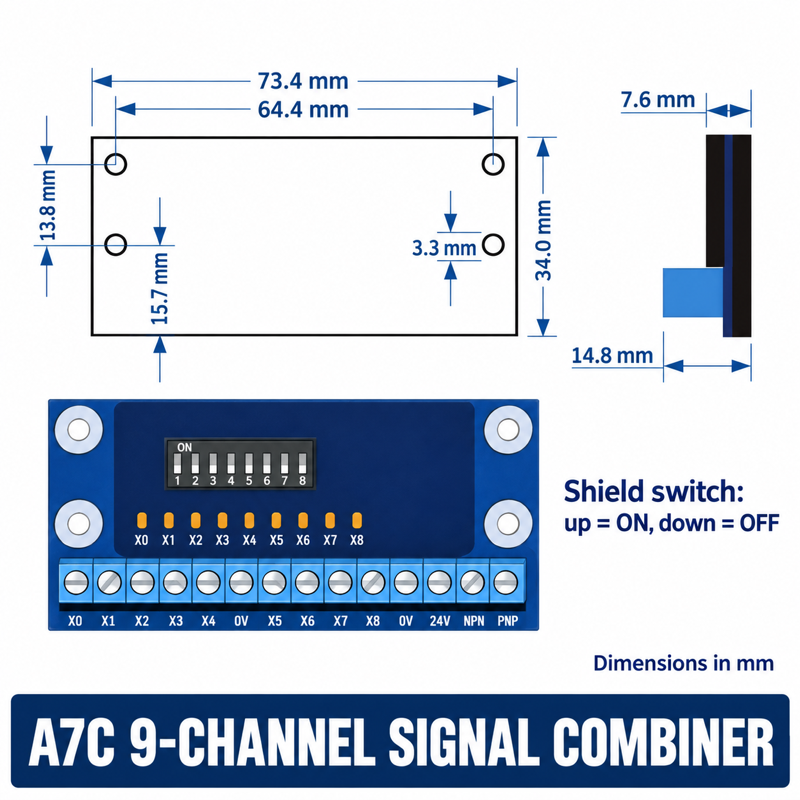
5. Test each input and the overall sequence
Use an approved commissioning plan to verify every sensor state, combined output and controller response. Check startup and permitted fault conditions within that plan, with motion safely controlled.
Capture which channel corresponds to each device. A lit indicator is useful observation, but not by itself proof that the controller received the intended signal.
6. Retain a wiring-specific replacement file
Save full board code, wiring revision, sensor list, terminal map, switch settings and acceptance record. Include a clear installed photograph showing cable labels without exposing credentials or unrelated system details.
For an inquiry, send these documents and identify unresolved electrical specifications. Request confirmation rather than assigning voltage, pinout or safety capability from a similarly shaped board.
7. Related products and next steps
Signal combiner selections · Robot tooling mounting hardware.
Send the complete model code, drawings or photographs, required quantity and application conditions to boltte@boltte.com. Confirm missing specifications in writing before ordering. Catalogue images illustrate the linked product family; they are not proof of compatibility, tested capacity or certification for your installation.